
I remember when my December newspaper columns were filled with new and unusual tech and travel products of the year, but no longer do see the swarm of new gadgets that we experienced in past years. Instead we’re mostly seeing refinements, improvements, and miniaturization of existing categories of products. This week I look back at some of the gadgets that I purchased in 2025 and like enough to strongly recommend. (By the way, I never use or have used referral links that recommendation websites to give the writer or publication a commission. Seems to me to be a conflict of interest.)
Anker Laptop Power Bank
Battery pack prices have dropped about in half this year as suppliers multiply cell prices fall. Most of these packs are slabs containing stacks of battery cells to provide anywhere from 5000mAh to 25,000mAh of backup power. The mAh is a measure of capacity. You can compare the number to an iPhone battery of about 4000 mAh and figure out that a 5000mAh battery equates to a little bit more than one full reacharge of the phone. (If you charge using MagSafe or inductive charging, those losses are more substantial.)
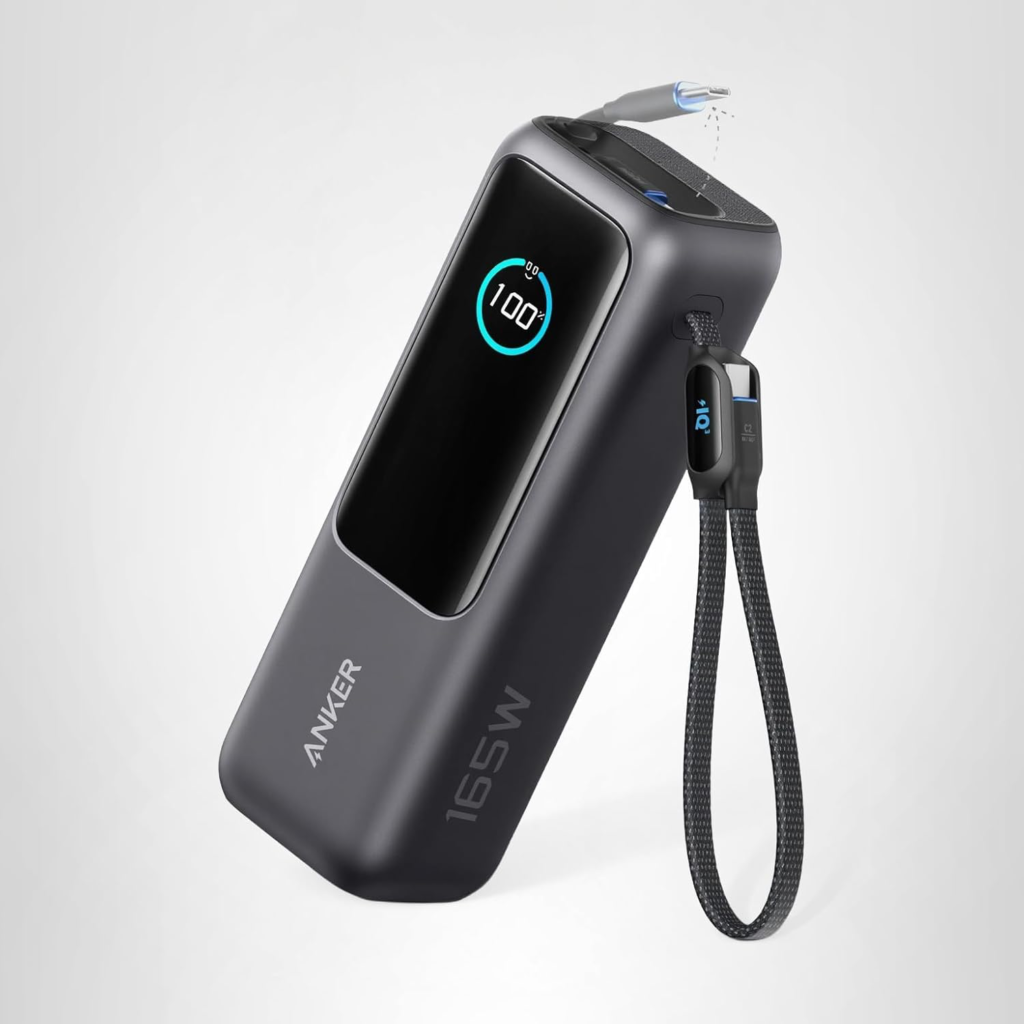
This Anker product, sold without a product name or number, is unusual in its shape and features. It’s a 25,000 mAh battery pack that can charge up to four devices at once, incuding items as powerful as a notebook computer. What’s unique is it’s two built in USB-C cables, and a display showing charge level and the charging states for each of the ports and cables.
It’s one of the largest capacity battery packs that is flight-approved, making it an ideal travel companion. You can use it on a plane and never worry about relying on the very slow charging ports at your seat. In your hotel, there’s no need to look for an outlet near your bed. It can sit on your nightable and keep everything within reach while charging. And it’s able to be recharged very quickly. The product is often on sale at Anker, Amazon and Costco.com for about $88.
ThermoWorks RFX Wireless Probe Starter Kit
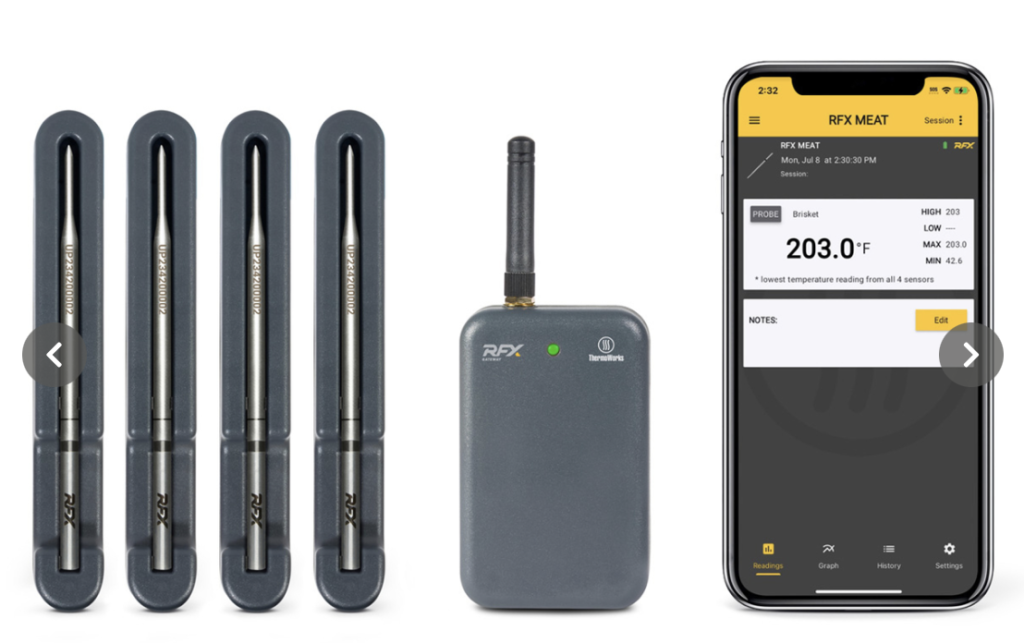
A few years ago the first wireless temperature probe, about the size of a ballpoint pen refill, was introduced for $100 to remotely measure the temperature of meat being cooked on a BBQ or in an oven. No wires were required, just an app or a module that wirelessly communicated with the probe. That company, Meater, was bought by Traeger, while a proliferation of new products, both Chinese knockoffs, and much improved.models emerged from U.S. companies such as Fireboard, Combustion and ThermoWorks. A wirelss proble eliminates the wires running from a temperature probe to the display module and is able to measure meat on a rotisserie without any tangled wires.
As an active amateur outdoor chef, I’ve owned and tried many of the top units when cooking and smoking on my charcoal and pellet grills. Issues with these wireless probes include loss of wireless signal through the grill, limitations on how far the signal carries, keeping them charged, withstanding high temepratures, and software used to monitor the cooking sessions.
I’ve found the best of the bunch, based on reliability, value, and performance to be the ThermoWorks RFX model. It uses a more robust communications band and is much more affordable when buying multiple probes, about $50-$60 each. ThermoWorks also often runs frequent sales.
Among the other top brands, Fireboard (a Kansas City company that makes some of the best wired temperature devices) has a clever design for charging multiple probes at once and has some of the best software. But the probes are $150 each and needs a $200 controller. Combustion makes a $150 wireless thermometer probe with eight built-in sensors that will predict the finishing time quite accurately.
Asus 27-inch ProArt Monitor

When my wife’s 7-year old iMac slowed to a crawl after the most recent upgrade to Sonoma OS, we called Apple and were told her machine was probably incapable of running it. Yes, it would have been nice to know that before the upgrade.
Faced with a replacement cost of about $2000 for a new iMac, we decided to add a monitor to her M1 iPad Air. After lots of research I bought the $200 ASUS ProArt Display PA278QV 27” monitor to connect to her MacBook. I initially considered this to be a compromise to a new iMac but quickly realized how much better it was. The monitor was larger than an iMac and equally as sharp and vibrant. More importantly, the monitor stand provided much more flexibility; the display could be raised and lowered and tilted over a much greater range than the iMac. Even if we didn’t have a MacBook, it would have made more sense to buy one for about $800 and skip the iMac.
Window users needing a desktop computer have another option. Check out the new mini PCs that cost as little as $200. I have no experience with them and was unaware that such a category even existed until informed by a friend. But combined with a monitor and keyboard, you get a system that can perform much like a desktop computer.
Eero 7 Pro
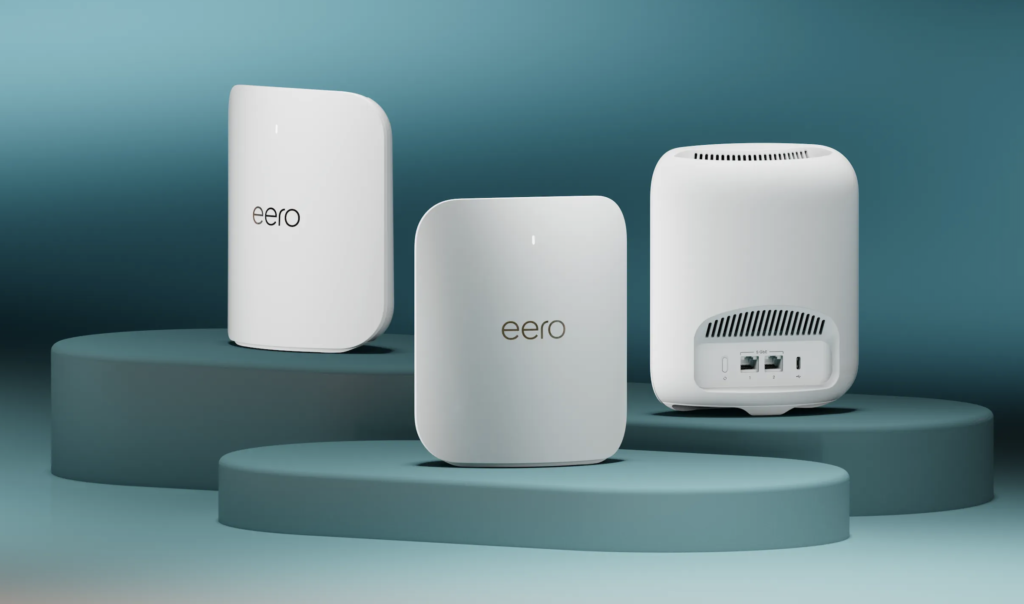
The Eero Pro 7 is Eero’s latest mesh WiFi system for homes that receive multi-gig internet, meaning 1GB or higher in speed, something now becoming more widely available. I use Ting fiber that recently increased the speed from 1GB to 2GB without any change to my monthly charge of $89. My existing Eero 6+ was unable to deliver more than 50 to 100 MB to many parts of my home. In theory that should be enough, because streaming video can work with as little as 10Mbps, one-hundreth of 1GB. But that can be misleading.
The 1GB speed is quickly attenuated through walls and with distance from the main router. Most of us are using dozens of simultaneous WiFi connections without being aware of them. We could be streaming Netflix on multiple TVs while another person is on a Zoom call. Simultaneously, our phones are backing up photos, our watches are updating their software, laptops are syncing files to the cloud, and security cameras are constantly uploading video. Each of these activities may be small on its own, but together they add up quickly. Since we’re paying for high speed internet, why not take advantage of it.
I’ve always been hesitant to disturb something as complex as a router when it’s working ok, but I need not have worried. We’ve come a long way in updating our router, especially with the same brand. Using the Eero app, I simply replaced each of my three units, one at a time following the simple directions. Total time was less ten minutes. No other wireless device in my home needed to be reconnected or registered since the new router uses the same name and password as the old. A kit of three Eero 7 Plus units cost about $550 when on sale, sufficient for most homes up to 3000 square feet.
Oura RIng 4
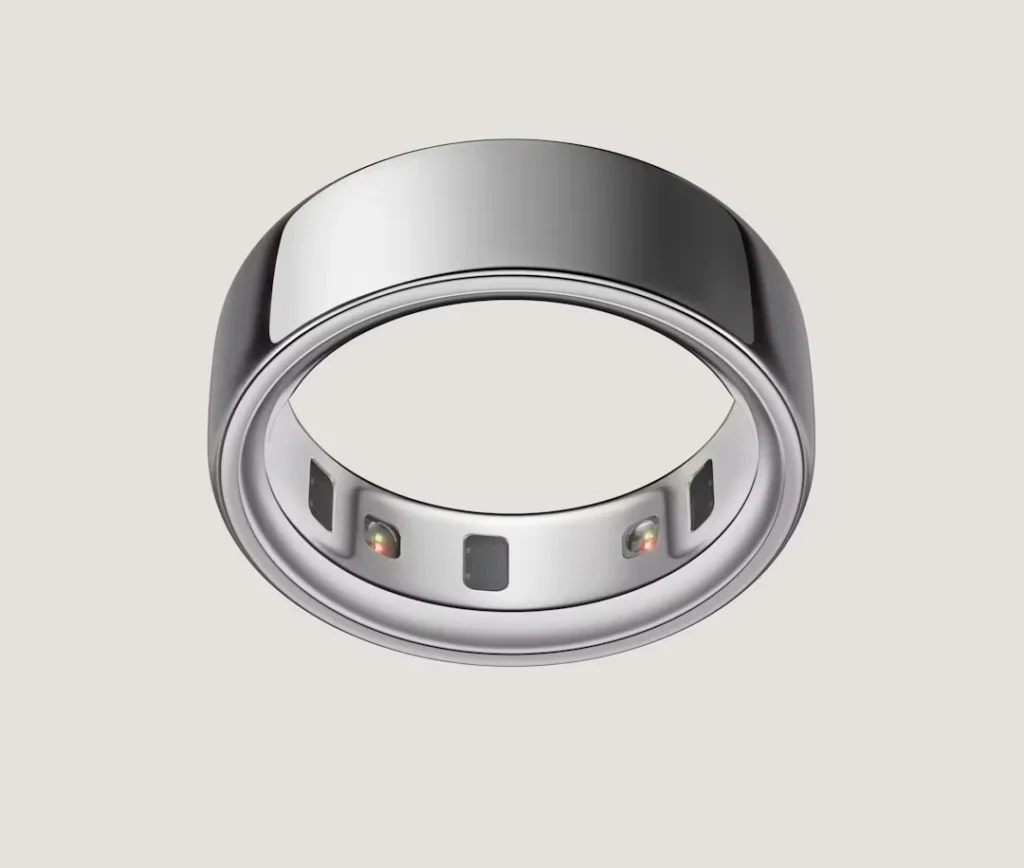
The Oura Ring 4 improves upon previous models, making it even more subtle and unobtrusive, and has new software making it even more useful. With expanded distribution and more effective marketing, it’s left the competition far behind. The company has now sold more than 5 1/2 million rings to date.
The latest model is thinner, lighter, with a smooth interior that makes it comfortable enough to wear 24/7, especially during sleep. The updated sensor array sits flush inside the band, improving accuracy without making the ring feel bulky or awkward on the finger. Once it’s on, it all but disappears and you can wear it everywhere, including in the shower.
It quietly tracks sleep, recovery, heart rate, and temperature trends without buzzing, vibrating, or demanding attention. It has a radar funtion, warning when it senses you might be coming down with an ailment. Battery life lasts to about 5 or 6 days. I check my sleep score and readiness score each morning and read its advice. I don’t mind paying the small monthly subscription of $5.99 because of how much effort the company has made to bring more value to the app and insight into the measurements. For people who want serious health insights without wearing a watch, the Oura Ring 4 remains in a class of its own. It’s vailable from $349 direct as well as from many retailers, including Costco.
